
Grilles and formed panels
Recurring perforations or formed features can justify punch tooling. Check how the sheet will be held after the last hit and how it reaches the receiving cart.
Production lines · Cutting and punching
One sheet tower feeds two stations. Route perforated or formed parts to the EP3015 punch and profile-cut blanks to the GP3015 laser.
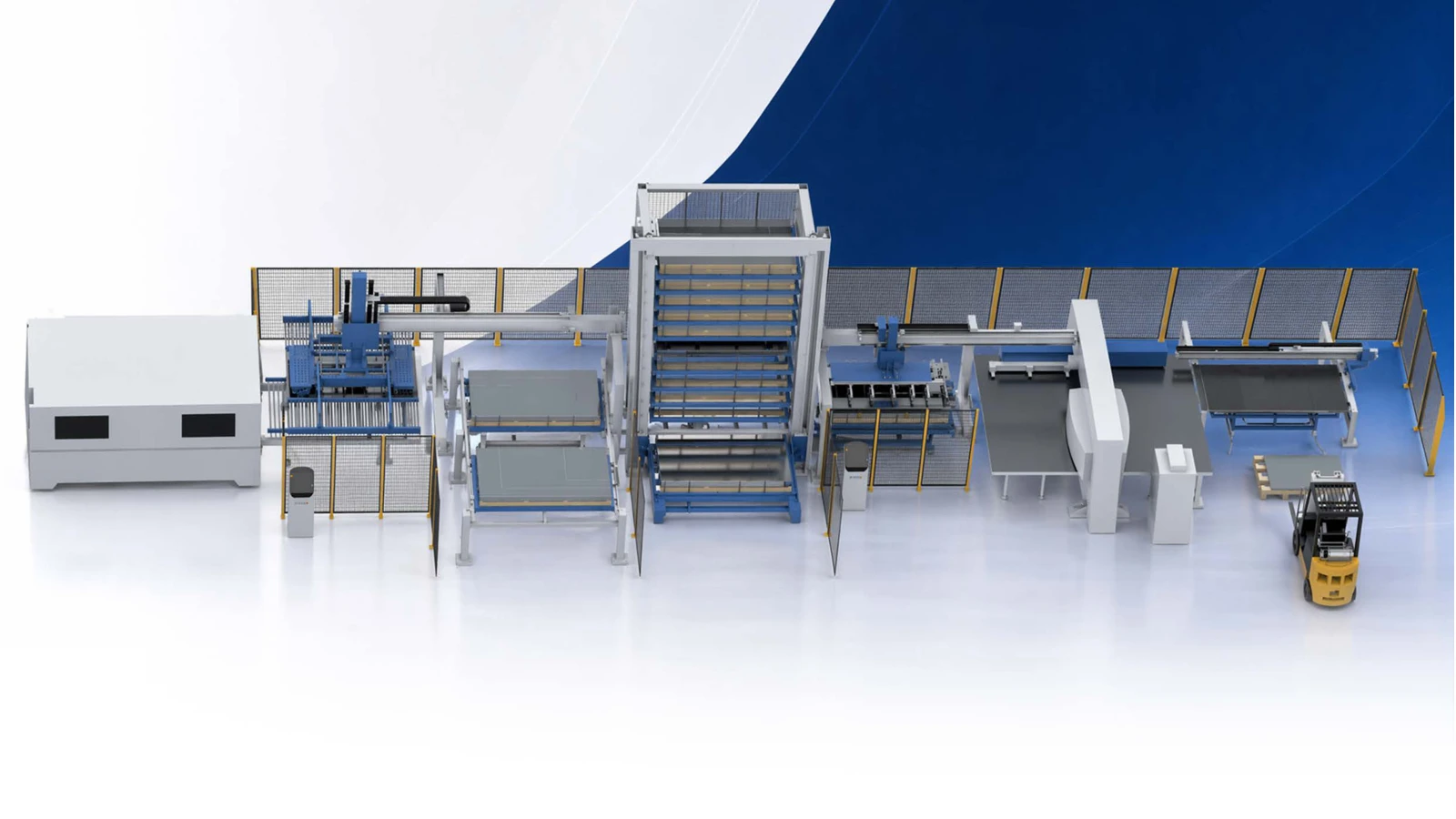
Line configuration
EP3015 and GP3015 identify separate processing and handling units. Each takes sheet from shared storage and has its own discharge arrangement.
| Item | Configuration |
|---|---|
| Storage | One sheet tower shared by the two processing units |
| Punch route | EP3015 punching and handling unit |
| Punch discharge | Automatic unloading to double-deck receiving carts |
| Laser route | GP3015 laser processing and handling unit |
| Laser loading | Sheet separation, thickness check and vacuum pickup |
| Laser discharge | Fork unloading and stacking |
Applications
Shared stock lets the planner choose the process for each nest. Finished output and scrap still need separate handling at each station.
Recurring perforations or formed features can justify punch tooling. Check how the sheet will be held after the last hit and how it reaches the receiving cart.
Use the laser route for changing contours and irregular outlines. Plan support under the nest so small blanks stay stable when the unloading forks move.
Reserve tower positions for material grades and gauges used by both machines. Coordinate retrieval when the punch and laser request the same stock.
Group the two output streams by the next operation. A cart of punched grilles and a stack of laser blanks can then reach bending or assembly in the required order.
Line stages
The tower serves two cells. Follow the stock request and the discharge path for each route.
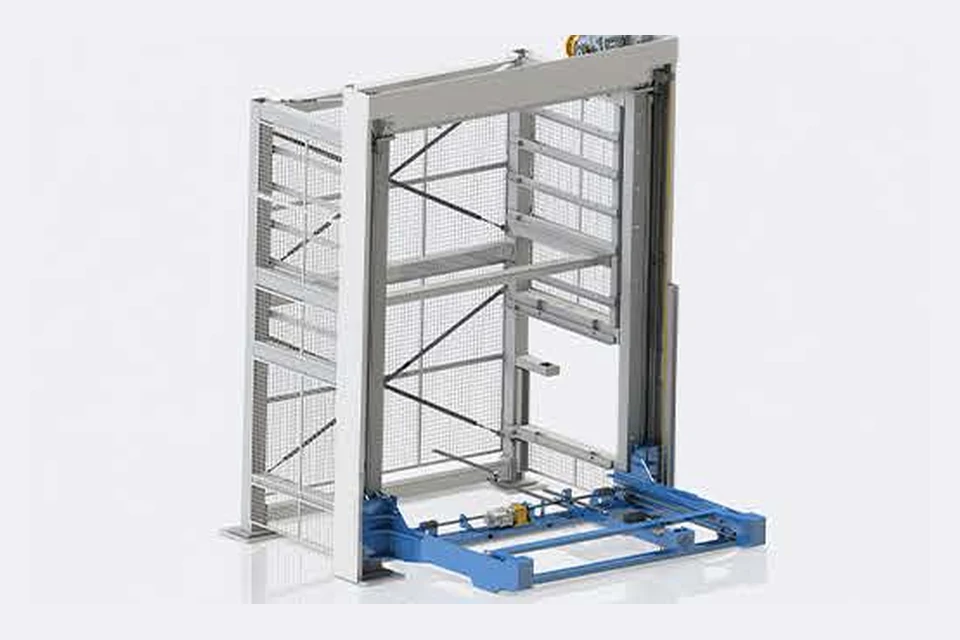
The tower stores sheet by material and gauge. A shared retrieval sequence feeds the punch or laser according to the job. Replenishment access and the order of stock calls affect how long each station waits.
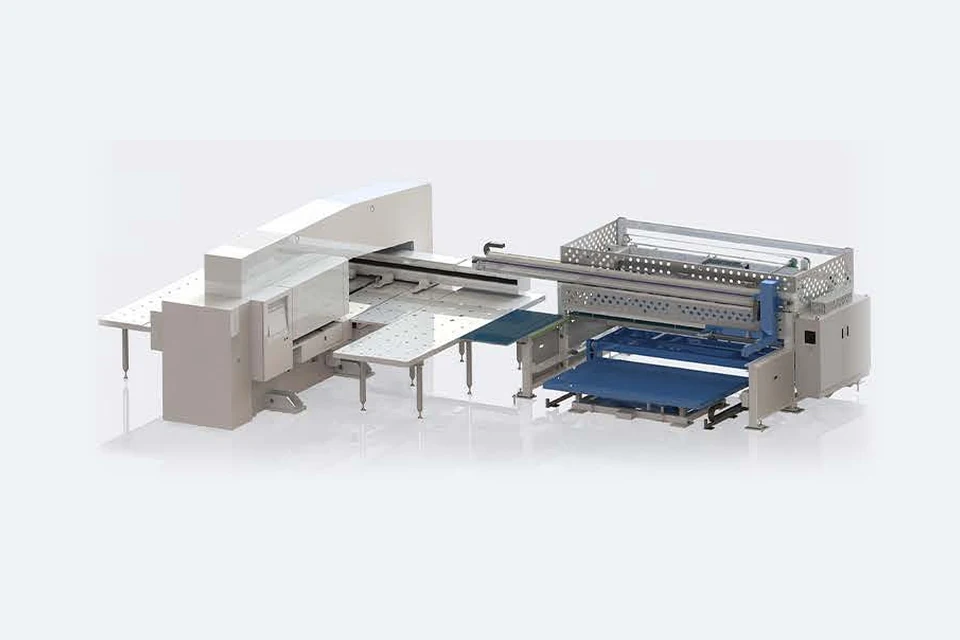
Vacuum pickup feeds the punching station. Automatic discharge moves work to receiving carts. Perforated panels and parts held by micro-joints need an unloading pattern that supports the sheet.
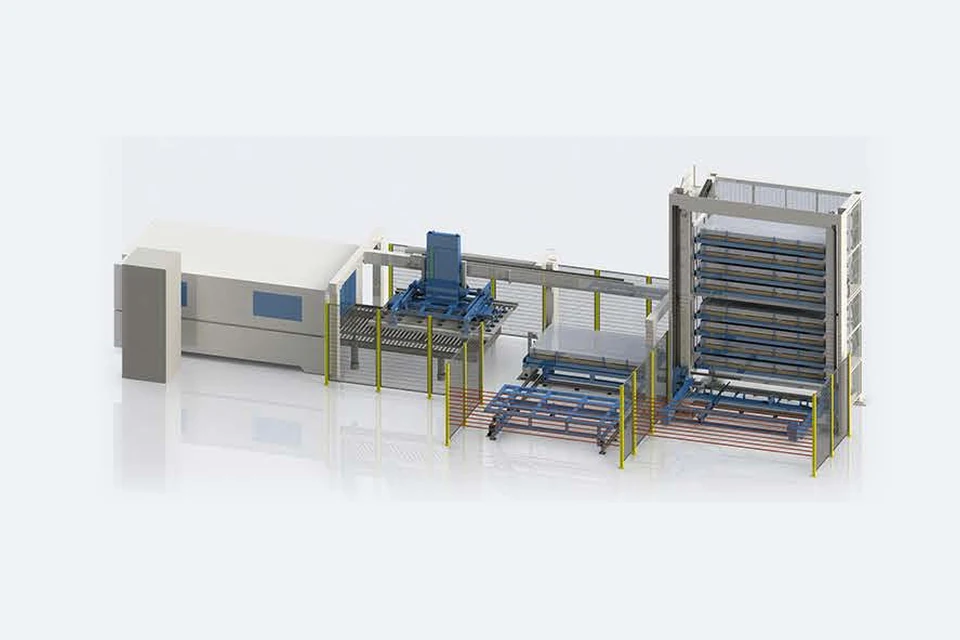
The laser handling unit separates and gauges the sheet before vacuum loading. Forks lift the cut nest to the stack. Plan finished-part, remnant and skeleton locations around the next operation.
Line integration
List sheet sizes, grades and thicknesses for each route. Size storage and retrieval against the demand from both stations over a shift.
Set punch stations and laser nests separately. Check formed features, micro-joints, scratch protection and support during discharge.
Assign jobs and receiving locations, then test simultaneous stock requests, a failed pickup and restart with one station unavailable.
Through the machine lifecycle
Find the training, maintenance guidance and parts support your team needs. Services and availability are confirmed for your machine and location.
Before start-up
Prepare utilities, lifting and the installation area, then coordinate start-up and handover.
Review installation supportBefore production
Build the operator, programming and maintenance skills required for your delivered machine.
Explore trainingIn operation
Get support with the machine model, serial number and a clear description of the issue.
Request technical supportPlanned spares
Identify your machine and component so our team can check compatibility and availability.
Request service or partsSelf-service
Find video guidance for operating and maintaining your ADH machine. Check relevance to your model and configuration.
Browse support videosContract scope
Your quotation or contract defines included services, warranty, exclusions and responsibilities.
Review service scopeProject enquiry
Tell us what you want to make or improve. Technical details and drawings can follow.
Contact ADH
Name, email and a short description are enough to begin.